
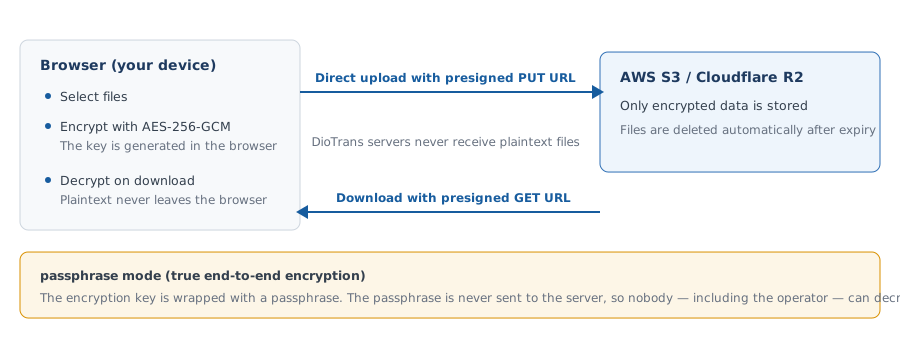
No plaintext on the transfer path
Encrypted in the browser
Files are encrypted with AES-256-GCM using the browser’s Web Crypto API before upload.
Stored encrypted
Encrypted data is stored in the S3/R2 you chose, or in DioTrans storage.
Decrypted in the recipient’s browser
After email verification, the encrypted data is decrypted locally in the recipient’s browser.
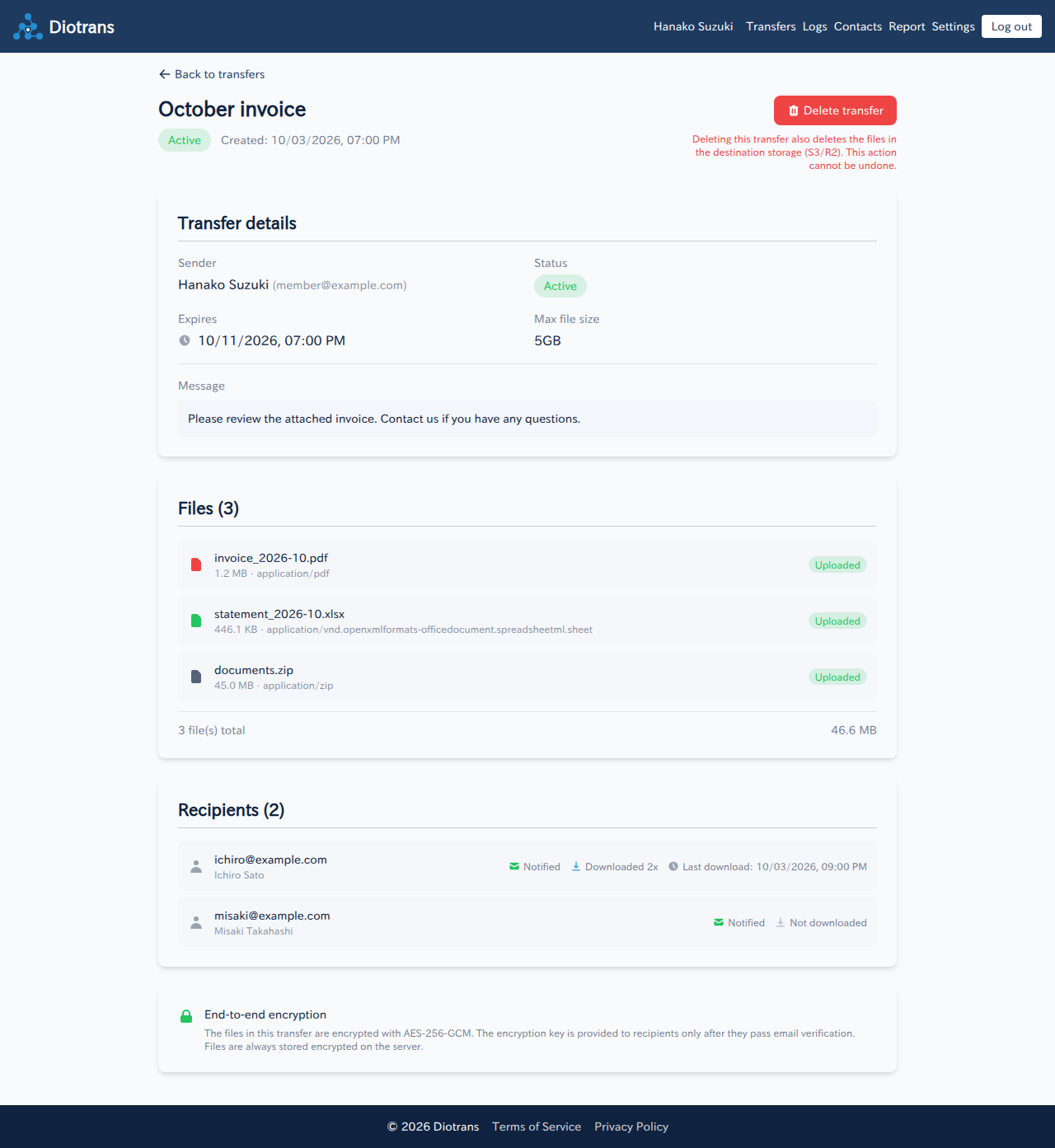
Choose between two modes
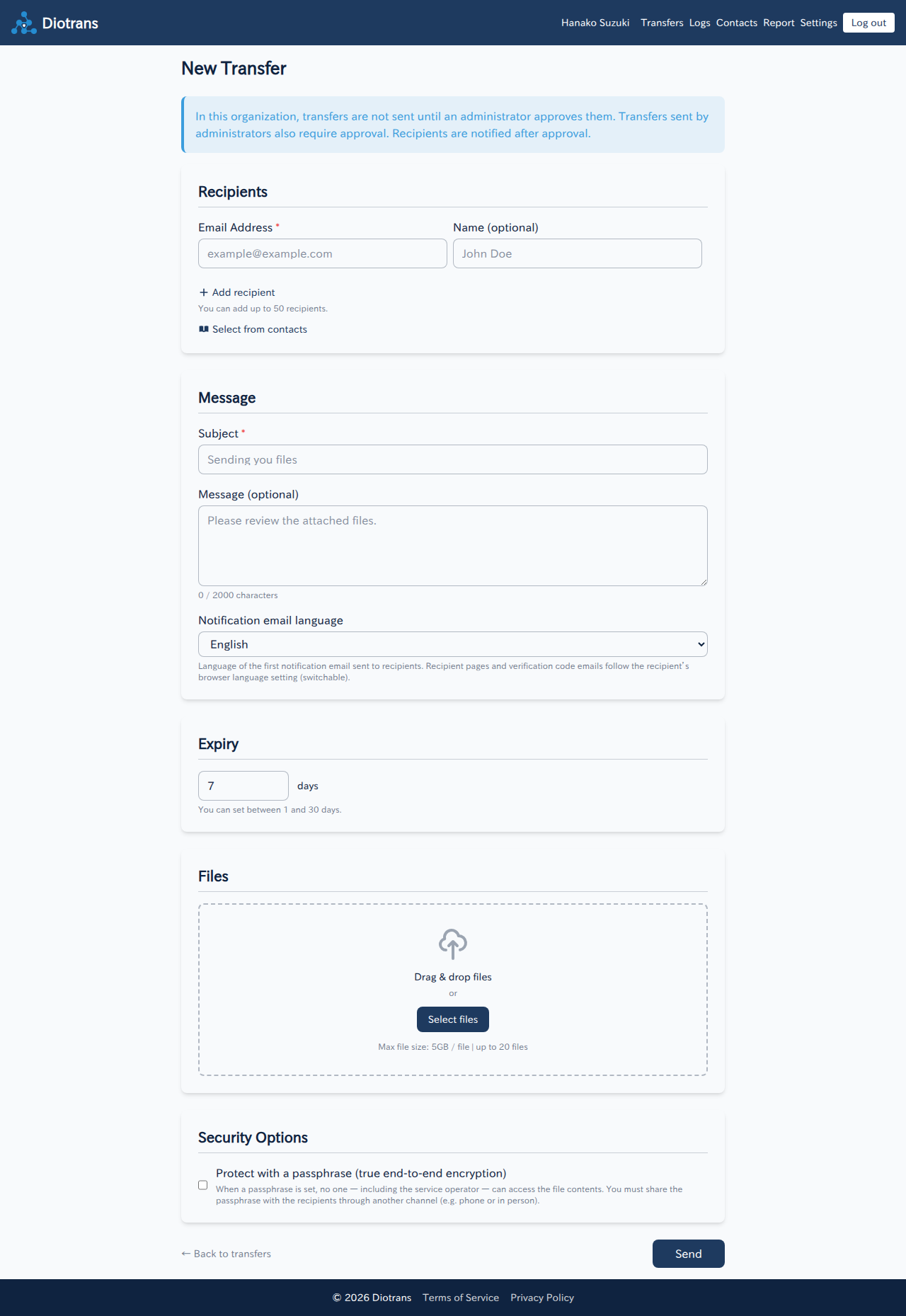
Selecting “Protect with a passphrase” on the transfer screen enables true end-to-end encryption (passphrase mode).
The practical default
The encryption key is protected and stored by the service. A good fit for organizational use, though the operator could theoretically decrypt the key.
- Key management is handled by the service
- No passphrase sharing with recipients
- Use with an understanding of the operator’s theoretical access
Stronger secrecy
The passphrase is never sent to the server; the encryption key is wrapped with a key derived from the passphrase.
- Nobody on the server side, including the operator, can decrypt
- Share the passphrase through another secure channel
- If lost, the files cannot be recovered
See “Encryption and security” in the manual for details.
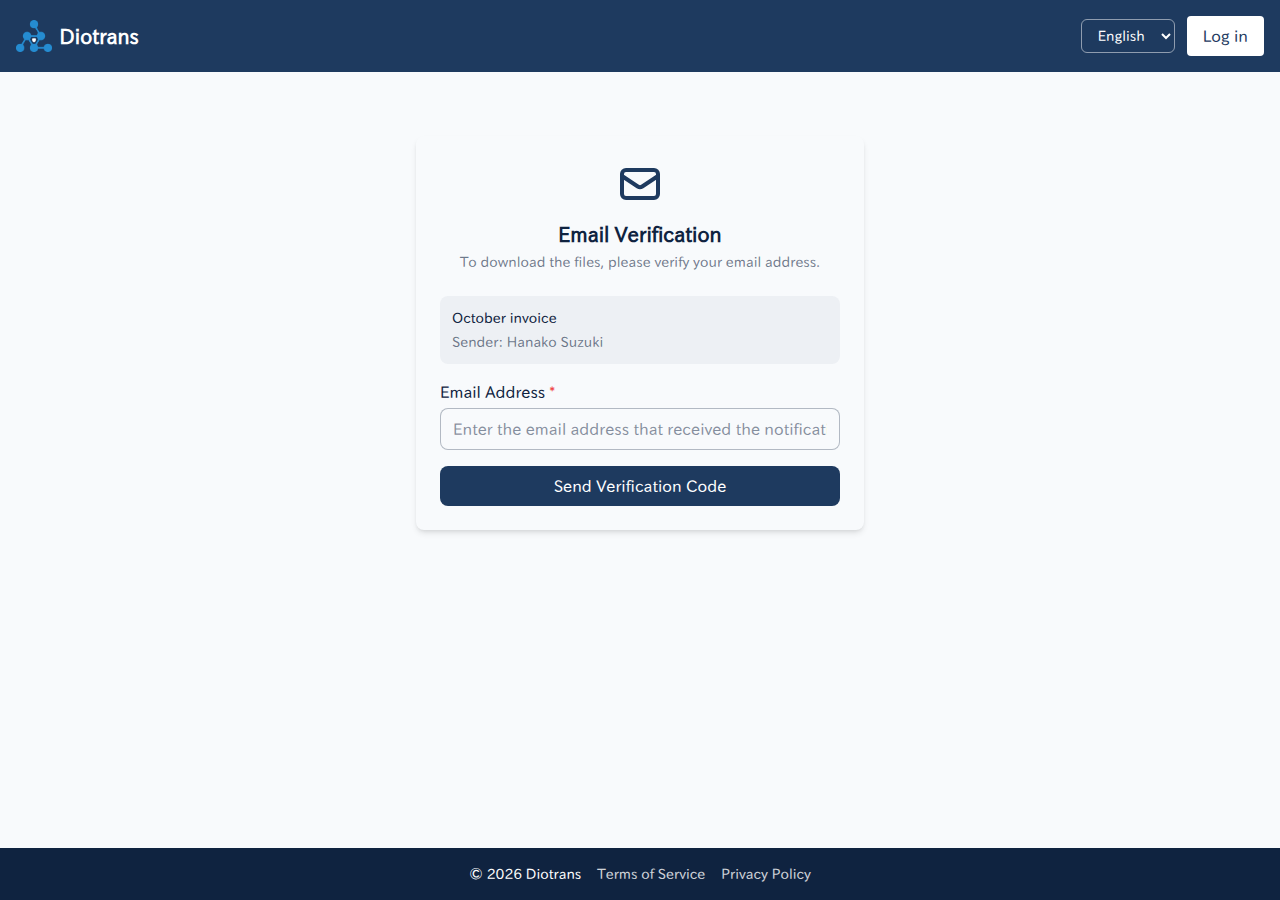
Verify recipients before handing over files
Notification emails never contain a download URL. Recipients confirm their email address and enter a 6-digit verification code before they can download. Codes expire and have a limited number of attempts.
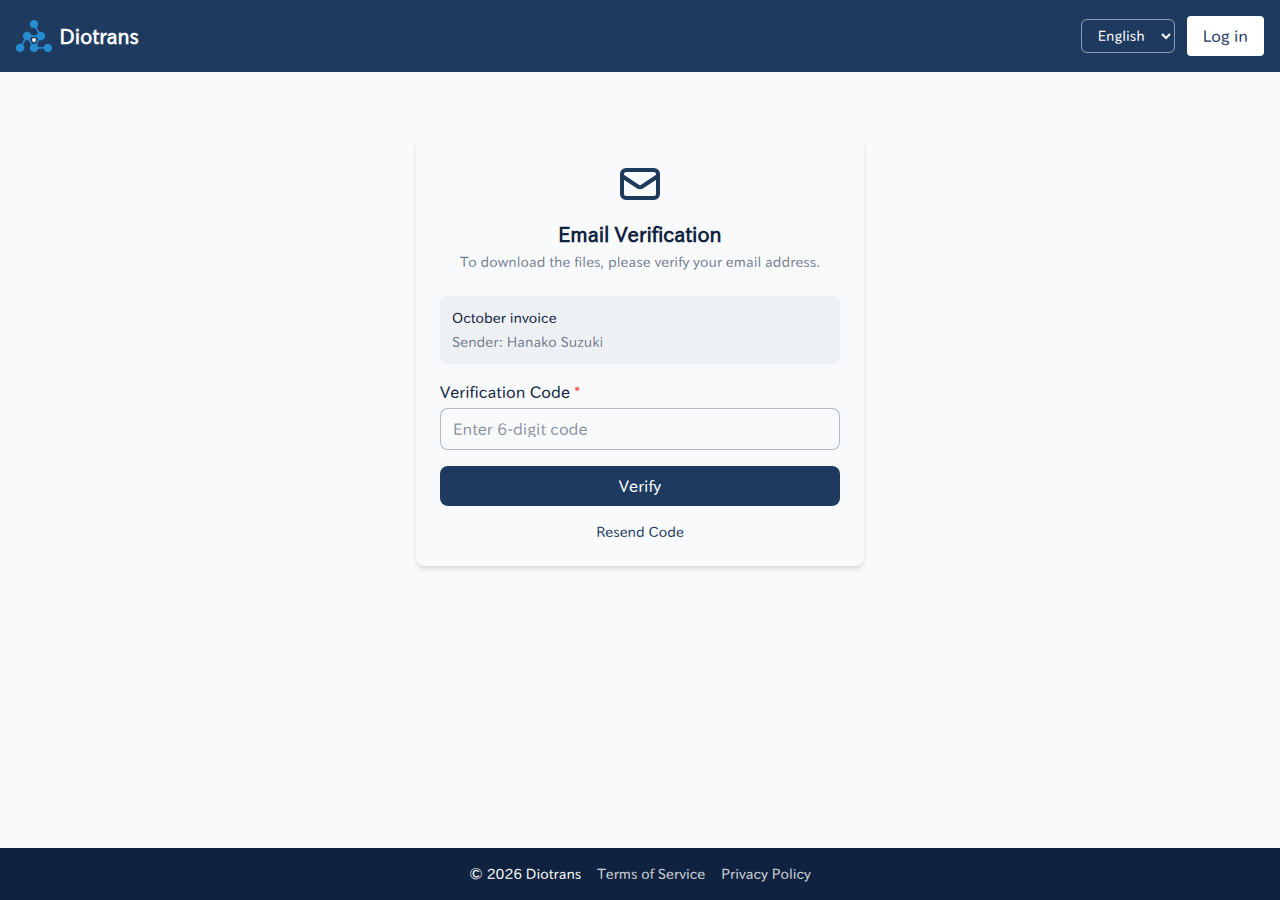
What “administrators cannot view” means depends on the encryption mode. Check the difference between standard and passphrase modes before putting the service into production.
What the operator cannot view: the contents of transferred files (they are encrypted) and passphrases set by users in passphrase mode. Personal information in records is anonymized when an account is deleted, and records are removed within a set period after the contract ends. See the Privacy Policy and Data processing and storage locations (Japanese) for storage regions and retention.
Records administrators can view
DioTrans keeps operation records to maintain security and prevent abuse. The operator and organization administrators can view these records for secure operations and investigations. File contents are encrypted and cannot be viewed from the records.
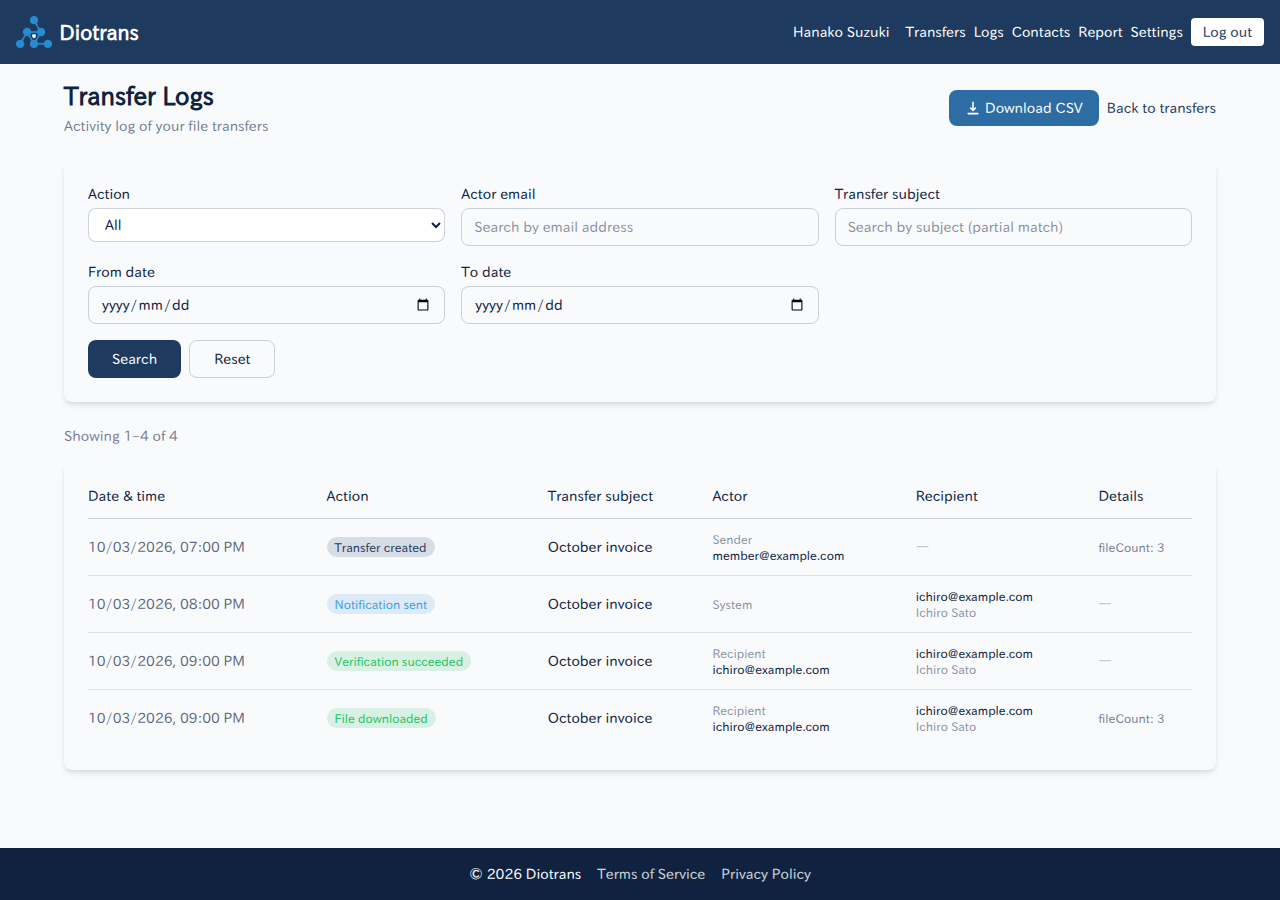
Transfer logs
History of transfer creation, uploads, notifications, recipient verification, downloads, and expiry. Includes subjects, actor email addresses, IP addresses, and user agents.
Download access logs
Verification of download token access, number of files fetched, and verdicts on signs of abuse such as bulk access from a single IP. Used to detect and block unauthorized access.
Login history
Login time, authentication method, and IP address. Users are also notified on each log-in, so unusual log-ins can be noticed quickly.
Abuse reports
The contents and status of reports submitted through the abuse reporting channel (Japanese). Kept for investigation.
After cancellation, your information is not used
If you cancel a paid plan, you can keep using the service until the end of the current billing period. After account deletion is processed, the deleted information is no longer used to provide the service. Only the records needed for secure organization management and legal compliance are kept, with personal information anonymized.
| Information | Treatment after account deletion |
|---|---|
| Account information | Name, email address, credentials, and other account information are deleted, and the Diotrans account itself is removed. |
| Files you sent and transfer data | Encrypted files, transfer metadata, and recipient information are deleted. If your storage is your own S3/R2, data DioTrans created for the transfer is deleted. |
| Personal contacts and consent records | Your personal address book and consent records managed by DioTrans are deleted. |
| Login history | Login history tied to your account is deleted. |
| Transfer and download audit logs | Kept for secure organization management, security investigation, and abuse response. Email addresses, IP addresses, and user agents are anonymized and deleted within two years after the contract ends. |
| Abuse reports | May be kept for investigation and legal response. Reporter information is anonymized and deleted within two years after the contract ends. |
| D1 backups | Data from before deletion may remain in Cloudflare D1 Time Travel restore points for up to 30 days. |
| Information belonging to an organization | If other members remain in the organization, organization settings and other members’ data are not deleted. When the whole organization ends, organization logs are anonymized and deleted after the retention period. |
See the Privacy Policy (Japanese) for details on what is deleted, retention periods, backups, and third-party services.