
Reporting abuse
You can report transfers that look like abuse to your organization’s administrators. Reports are reviewed in the admin dashboard, and you can check their status later.
1Submitting a report
Open “Report”
Open the report screen from “Report” in the header. You will see your past reports and a submission form.
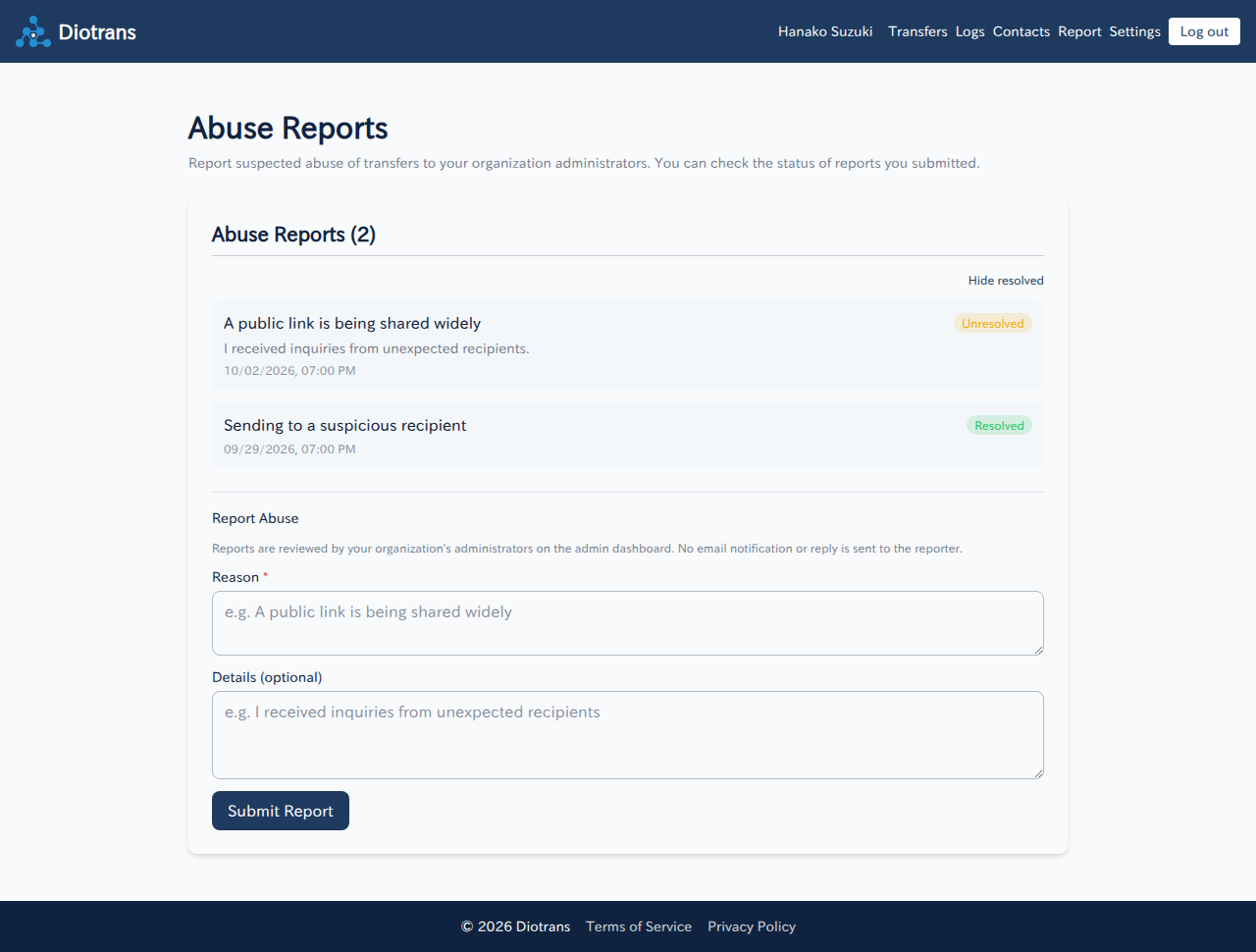
The report screen. Reports are marked unresolved or resolved, with a form below. Enter a reason and details
The reason is required. Examples: a public link is being shared widely; sending to a suspicious recipient. Add details if you have them.
Choose “Submit report”
The report is sent to your organization’s administrators.
2Checking status
- The list shows each report as “Unresolved” or “Resolved”.
- “Hide resolved” shows only unresolved reports.
How reports are handled
Administrators review reports on the admin dashboard. No email notification or reply is sent to the reporter. In urgent cases, consider also contacting [email protected].
3For administrators
Administrators review reports and mark them resolved when handled. See Announcements and audit for the workflow.