
Announcements and audit
Post announcements for users, and review reports and logs. Use these for auditing and incident follow-up.
1Creating an announcement
Create announcements shown on the app’s top page.
Choose “Create announcement”
Open “Announcements” in the admin menu and choose “Create announcement”.
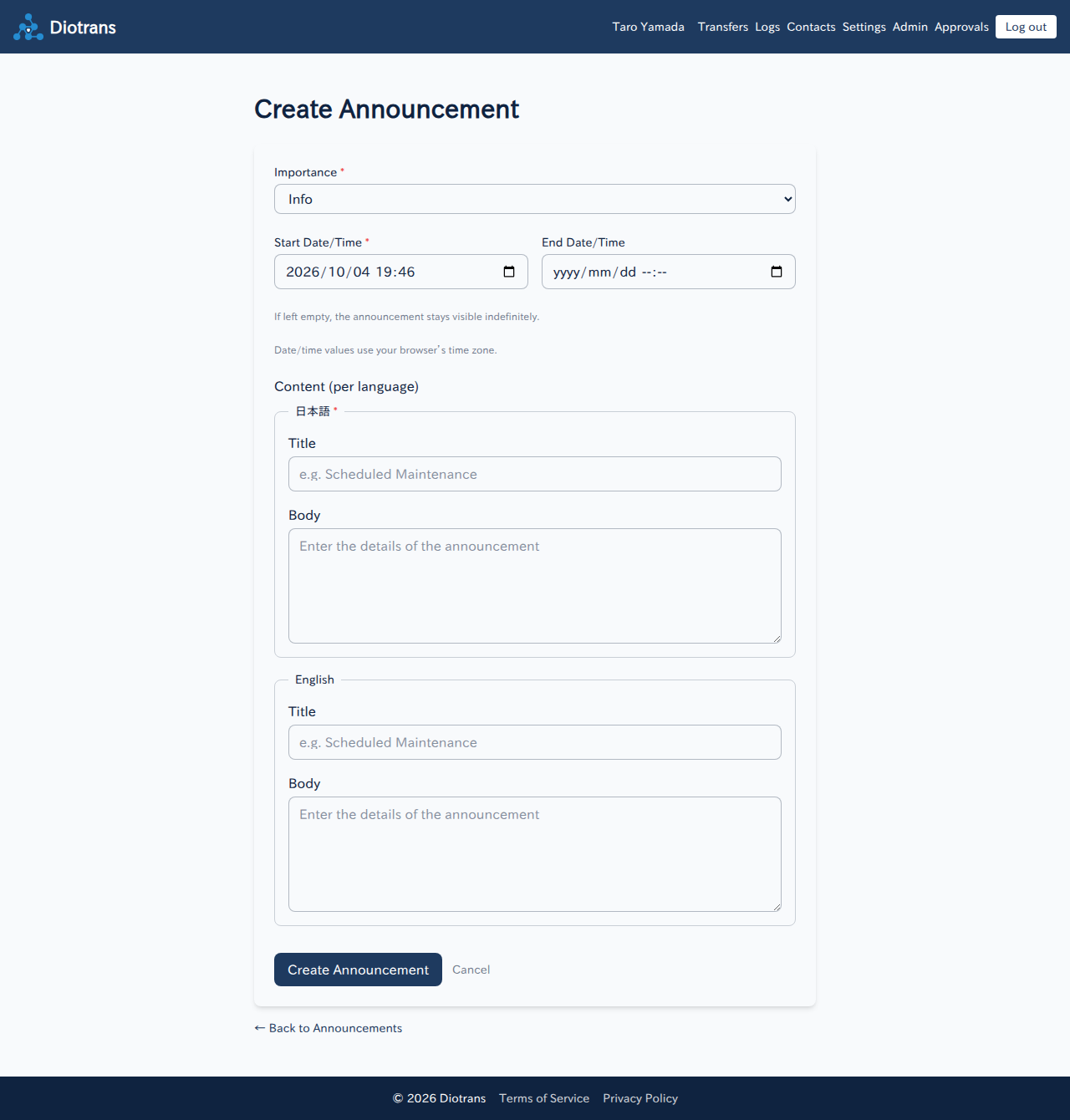
Creating an announcement. You can provide both Japanese and English text. Set the importance and display period
Choose the importance (information, warning, etc.) and the start and end times. Announcements stop appearing automatically after the end time.
Enter the text and save
Enter the Japanese and English text and save. Users see the text that matches their language setting.
2Managing announcements
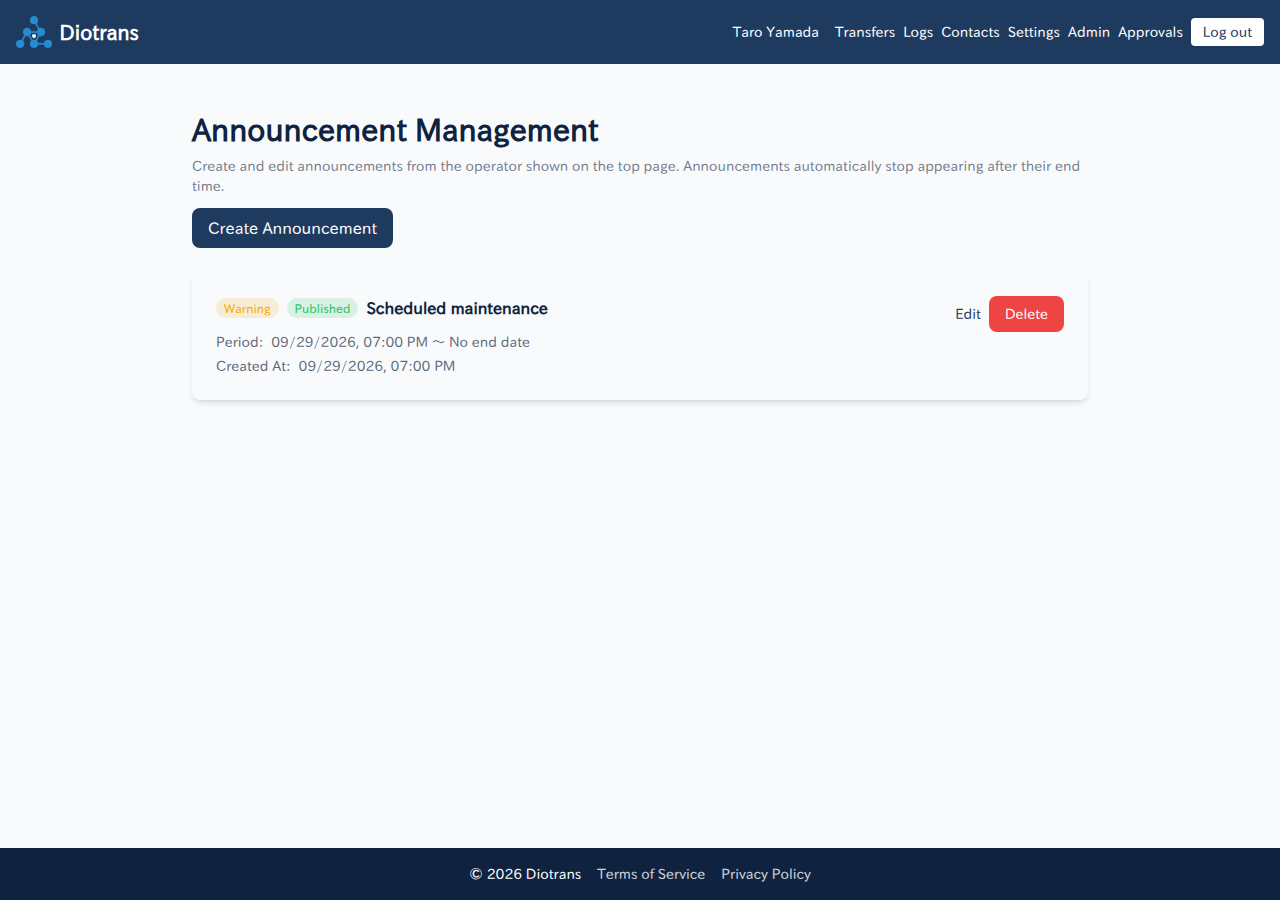
- Edit or delete announcements from the list.
- Only announcements within their display period appear on the top page.
3Handling reports
Review reports
Check unresolved reports in the admin dashboard or report screen. The reason, details, reporter, and date are shown.
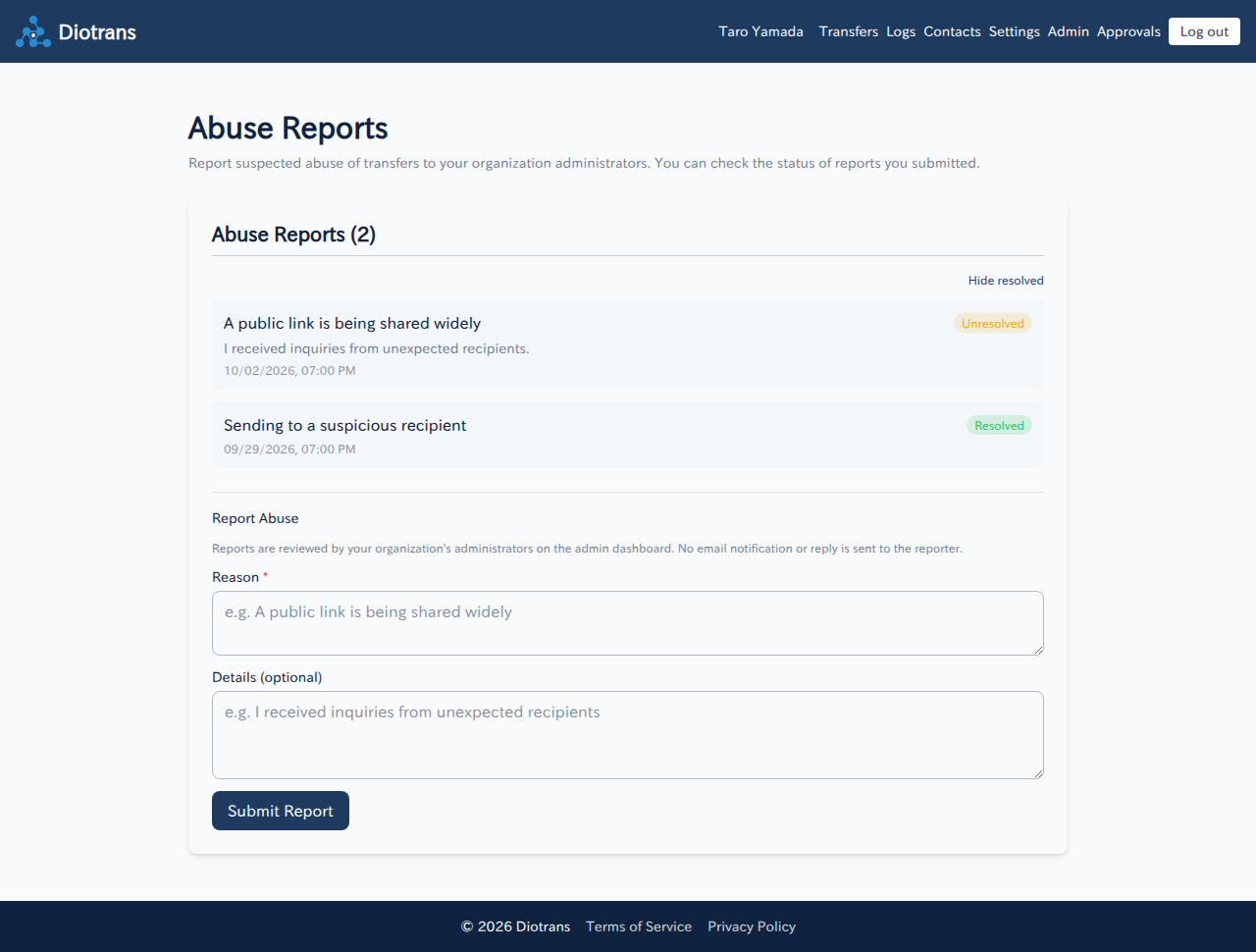
Report list. Use “Hide resolved” to show only unresolved reports. Take action as needed
Depending on the content, delete transfers, contact the sender, or suspend use.
Choose “Mark as resolved”
Update the status when handled. No reply is sent to the reporter.
4Reviewing audit logs
Under “Logs”, review the organization’s transfer logs. Filter by date, action, subject, actor, and recipient, and export to CSV. Login history and abuse alerts appear on the admin dashboard.
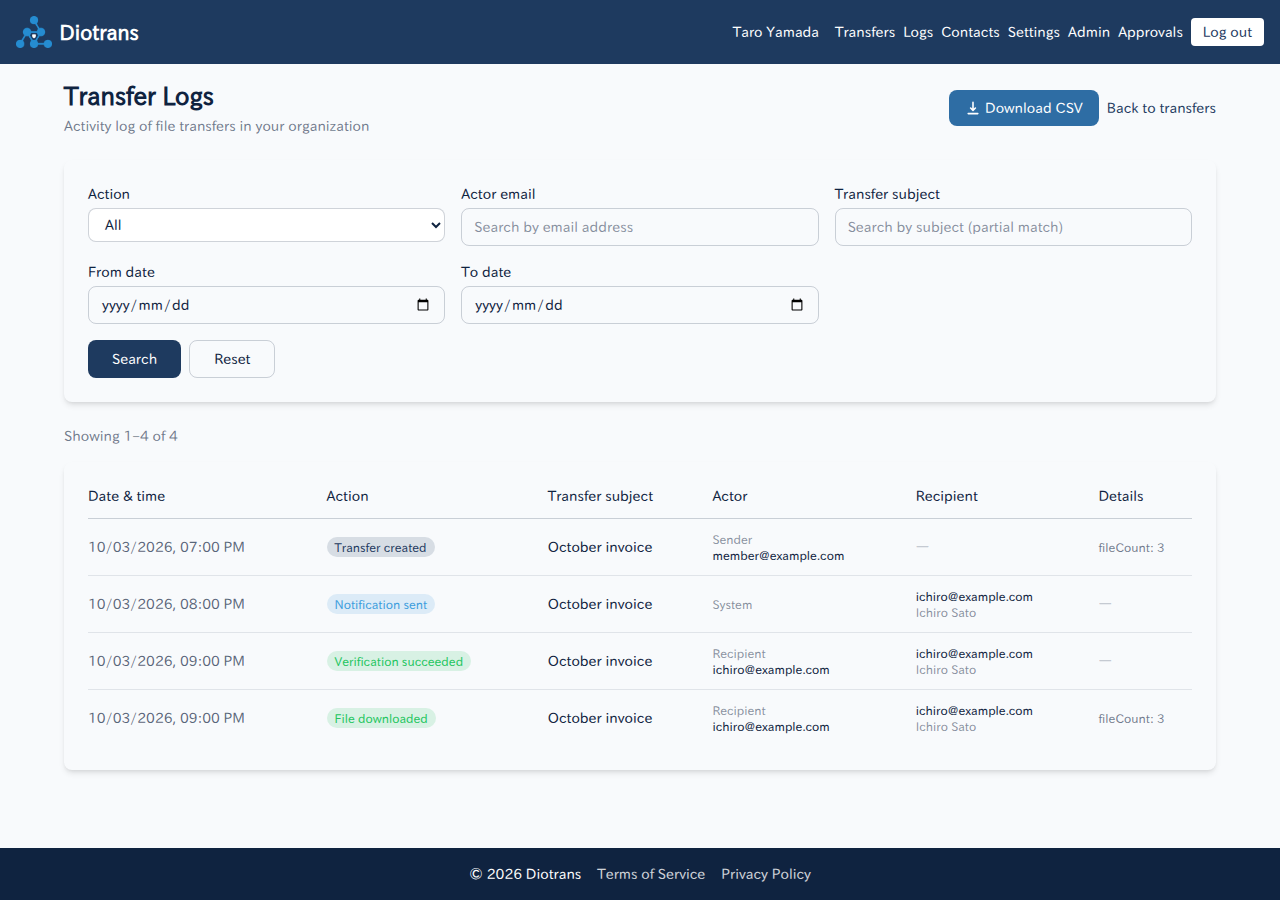
Logs can be viewed regardless of subscription status. After a contract ends (organization deletion), personal information is anonymized, and logs are deleted after the retention period (2 years by default).